Account3 min
Work together in one workspace
Invite teammates and keep shared content work in the right workspace.
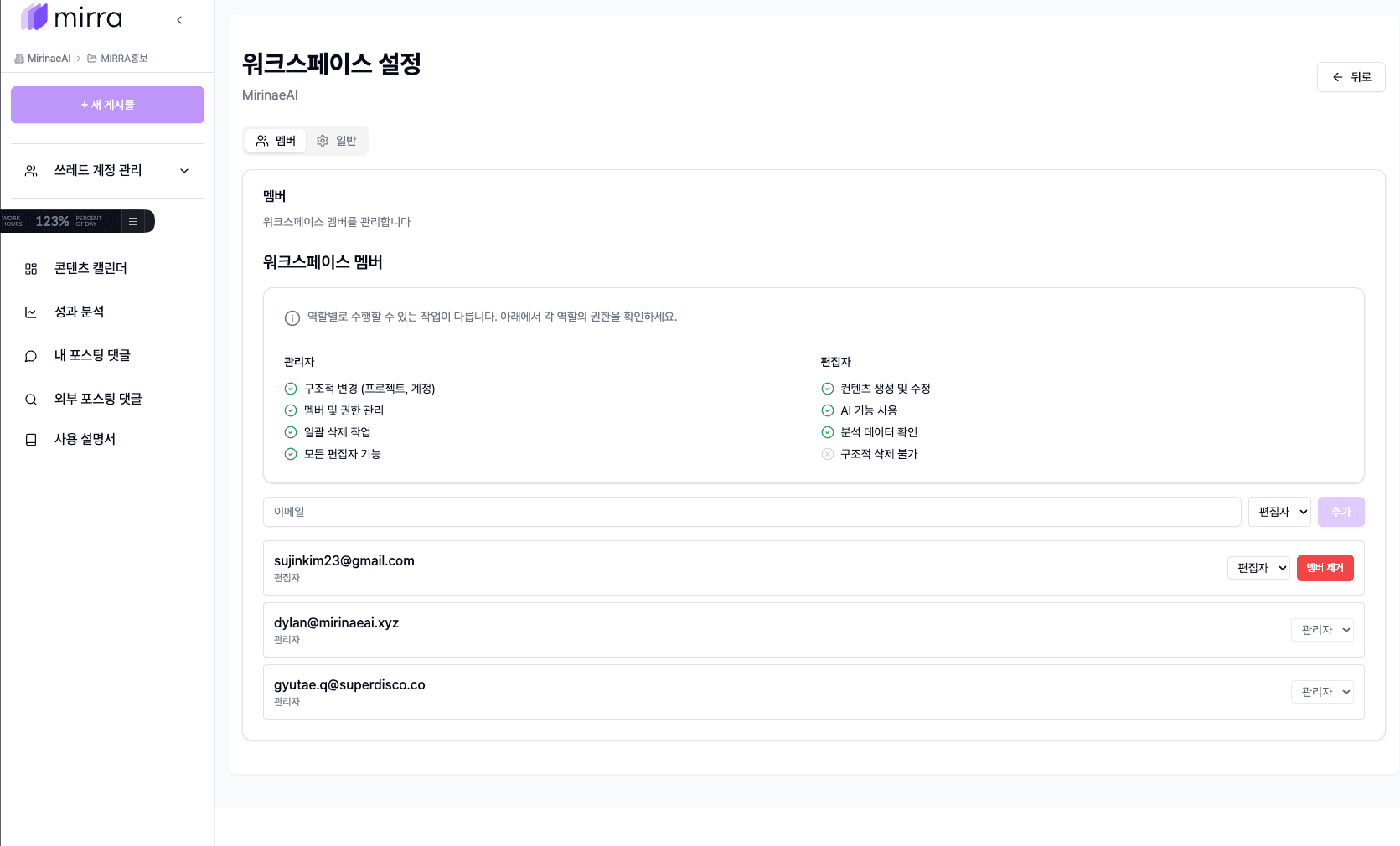
Invite members
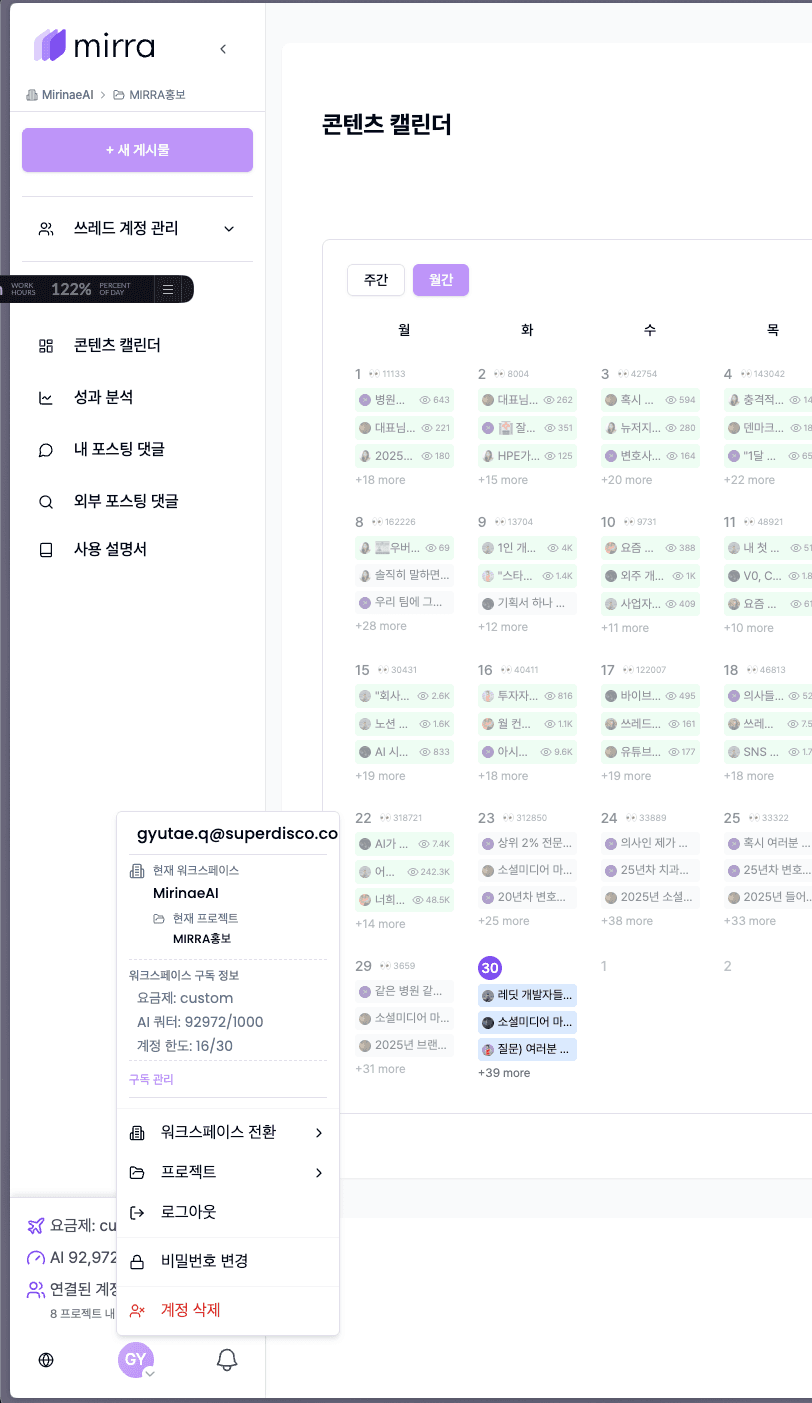
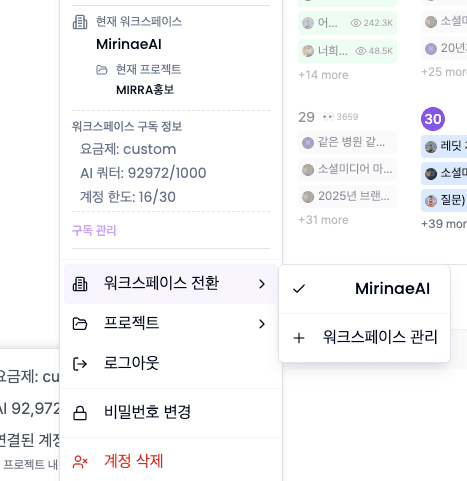
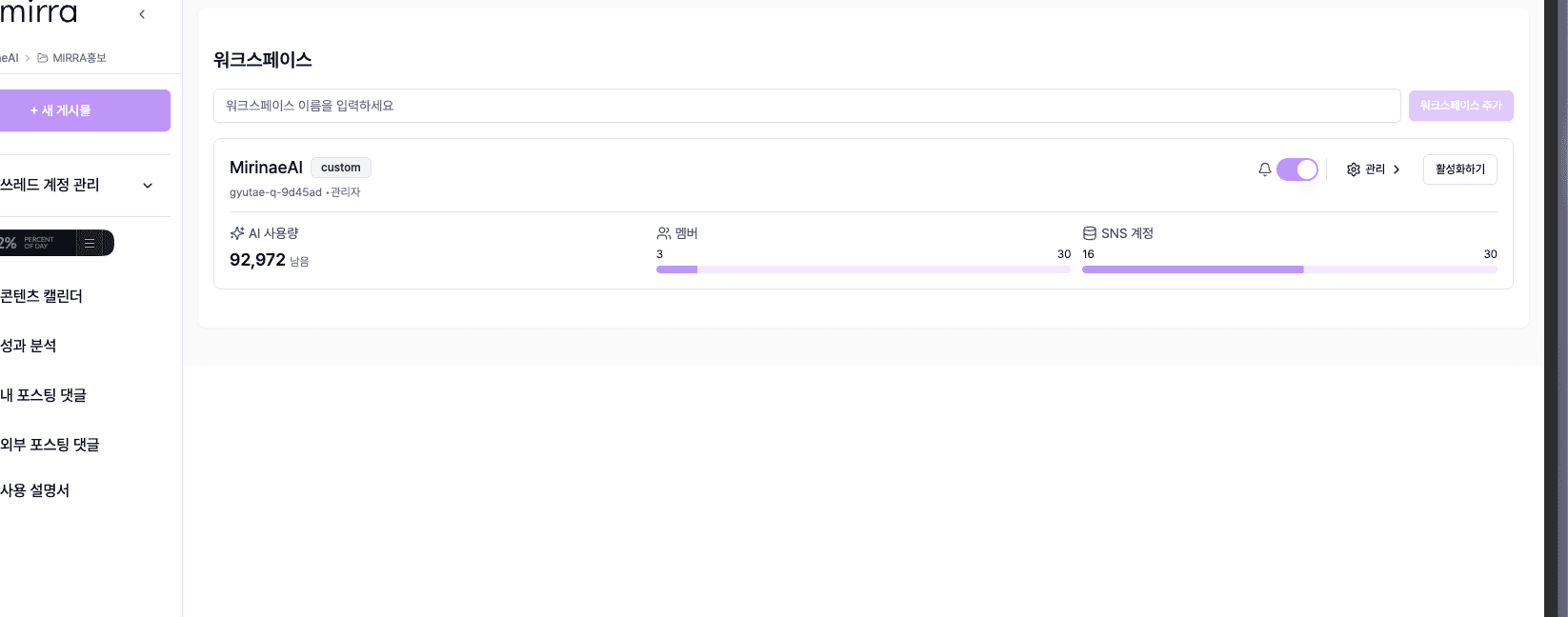
Use workspace settings to invite teammates. Confirm the active workspace before creating or scheduling content.
Keep ownership clear
Use one workspace per brand or client when possible. This keeps connected accounts, drafts, and analytics separated.