
Set up and run content automations
Describe recurring content, review the plan and sample, then manage scheduling, results, and pauses.
Open this featureBefore you start
Your workspace plan must include content automation. If the active limit is full, pause an automation or review your plan; paused automations do not count toward the active limit.
Samples and scheduled runs use the credits shown on screen. If your free-trial first task is unused, Mirr shows the first full task as free.
Connect a social account for scheduled publishing. You can still create an email-only automation without a social account.
Review the connected account's voice, shared rules, and content length first. New runs use the account's latest shared rules.
Open Automations
From the left menu choose the Korean labels “콘텐츠 제작 → 자동화” (Content creation → Automations). The “자동화” tab manages workflows and “결과물” shows completed outputs.
The header shows active and paused counts and the active limit. Select “새 자동화 만들기” (Create new automation) to begin.

Describe the job in one sentence
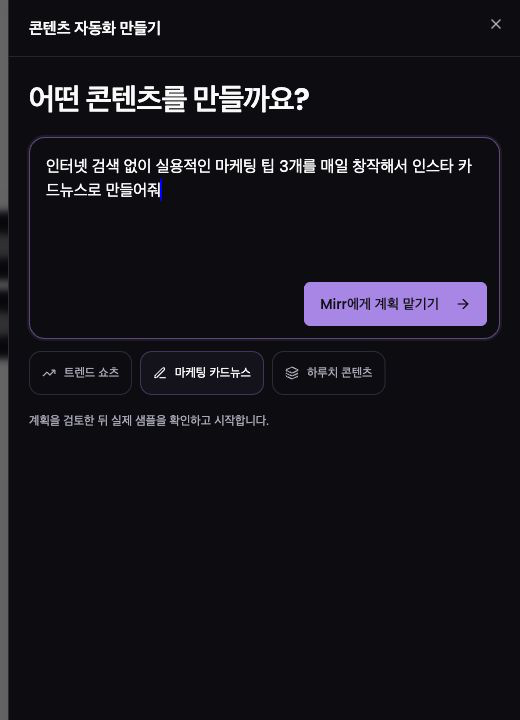
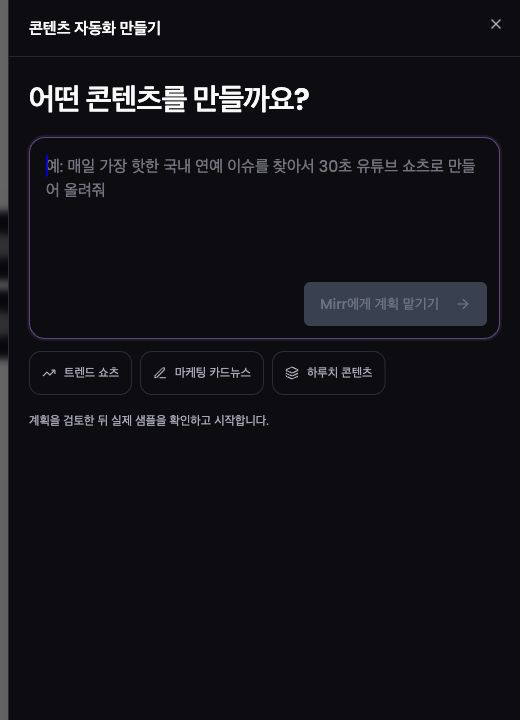
In “어떤 콘텐츠를 만들까요?” (What content should we create?), describe the recurring outcome. Include cadence, source, format, quantity, and destination.
Use the Korean example chips for trend shorts, marketing carousels, or a daily batch, then adapt the sentence.
Select “Mirr에게 계획 맡기기” (Ask Mirr to plan). Mirr turns the request into an executable plan.
Review the plan and settings
Review the automation name, objective, recurring steps, guardrails, and missing requirements. Missing accounts or required information appear under the Korean “시작 전에 필요한 것” section.
Choose whether Mirr researches trends, creates without web search, or reads a specified URL, then select text, image, carousel, or video.
Review destinations, start time, per-slot or daily-batch preparation, publishing times, delivery mode, weekdays, timezone, writing length, instructions, CTA, language, and design.
Read the per-run and monthly credit estimate, then select “오늘치 샘플 만들기” (Create today's sample). This starts a real, credit-using generation.
Approve a sample before activation
While Mirr shows “오늘치 샘플을 만들고 있어요,” nothing is published.
In “아직 발행되지 않은 실제 결과물,” review topic, planned time, media, copy, and editor access.
If it is ready, select “이대로 자동화 시작.” The approved sample becomes the first post or scheduled batch; choose “다른 샘플 만들기” for another version.
Changes to content or delivery may invalidate the old sample and require a new review.
Check schedule and delivery
Scheduled delivery creates content first and places it in the Mirr calendar. You can edit or cancel it before the publishing time.
Email delivery sends completed content without posting to social media. A blank recipient uses the signed-in account email.
In details, check status, objective, source, accounts, formats, delivery, schedule, next and last run, estimated credits, and the Research → Create → Deliver activity trail.
“지금 실행” (Run now) creates content outside the schedule and uses credits. Read the confirmation and replacement notice before using it.
Review outputs
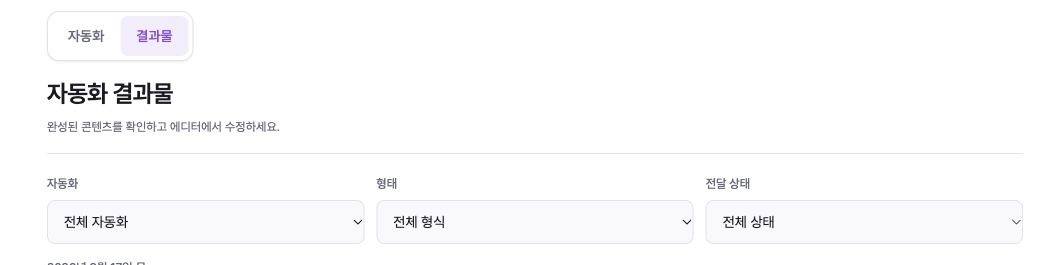
The Korean “결과물” (Outputs) tab groups completed content by date.
Filter by automation, format, and delivery state: published, scheduled, emailed, or not delivered.
Open details to review content and use “에디터에서 열기” (Open in editor) when editing is available.
Edit, pause, or resume
Use “상세 보기 → 수정” (Details → Edit). Names and schedules apply on the next run; content or delivery changes require an unpublished sample review.
Turn off “자동화 사용” to pause. Paused workflows stop scheduled runs and do not count toward the active limit.
When resuming, review the name, schedule, and credit warning, then select “자동화 시작.”
Deletion cannot be undone. Scheduled posts return to drafts and will not publish.
Troubleshooting
A disabled automation switch means the sample must be created and reviewed first; editing can also be locked while the sample runs.
Use the activity trail to see whether Research, Create, or Deliver failed. Make a search topic or URL more specific when no source is found.
For insufficient credits, review required and available credits, top up, and retry.
If an account cannot be selected, the platform may not accept the format. Add a compatible format or use email delivery.
Match the daily batch size to the number of publishing times, and validate URLs and email addresses.
If outputs are missing, reset all three filters to All or clear filters.
Treat a partially created batch as failed; fix the cause before rerunning.