
Write and schedule social content
Choose a connected account, add platform-ready copy and media, and schedule it with the correct timezone.
Before you start
Connect the social account you want to publish to. The scheduler lists accounts available in the current workspace.
Prepare the final images or videos. Instagram, TikTok, and YouTube each enforce required-media rules.
Scheduled time uses the timezone shown in the editor. Check it first when teammates work in different regions.
1. Open the scheduler
Select ‘예약’ or ‘콘텐츠 예약’ (Schedule / Schedule content) in the left menu. The composer opens over the current page with ‘새 글 작성’ (New post), ‘임시저장’ (Drafts), and ‘닫기’ (Close).
The editor is on the left and the selected platform preview is on the right. On narrow screens they may stack vertically.
2. Select the publishing account first
Select the round account control at the upper left, then choose where to publish. Character limits, media requirements, and visibility controls change for that platform.
If you switch platforms after writing, Mirr may move compatible copy into the new platform’s fields. When a move notice appears, verify title, body, and description again.
3. Write for a text-first account
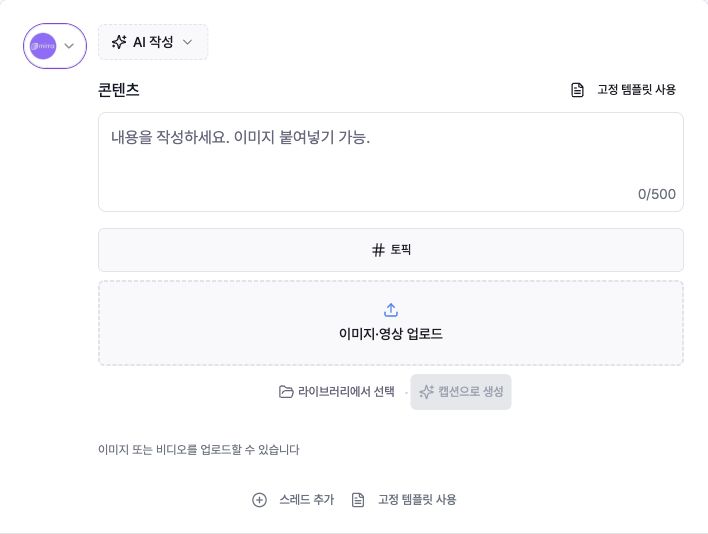
Enter copy in ‘콘텐츠’ (Content). The observed Threads screen showed a 500-character limit, ‘토픽’ (Topic), ‘이미지·영상 업로드’ (Upload image/video), ‘스레드 추가’ (Add thread), and ‘고정 템플릿 사용’ (Use fixed template).
Media is optional, and Add thread splits a longer post into connected parts.
4. Create an Instagram post
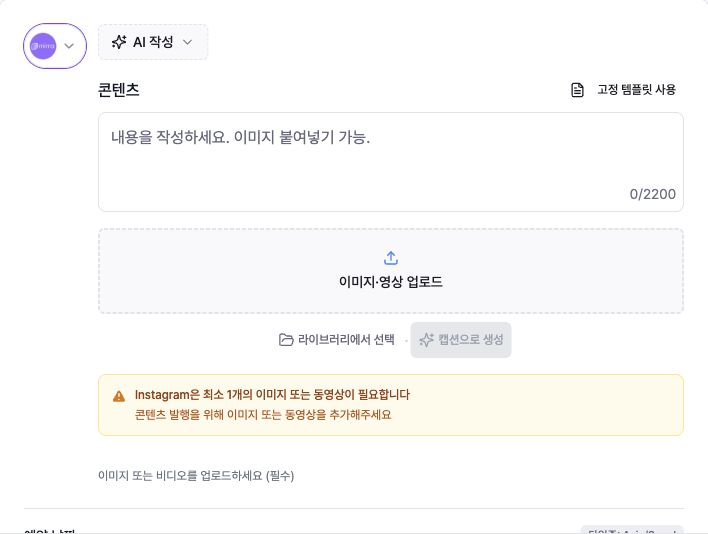
Write the caption, then add at least one image or video.
Use ‘이미지·영상 업로드’ (Upload image/video) or ‘라이브러리에서 선택’ (Choose from library). Without media, a warning appears and publishing controls stay unavailable.
A single video is treated as a Reel and may reveal a Share to feed setting.
5. Create a YouTube Short
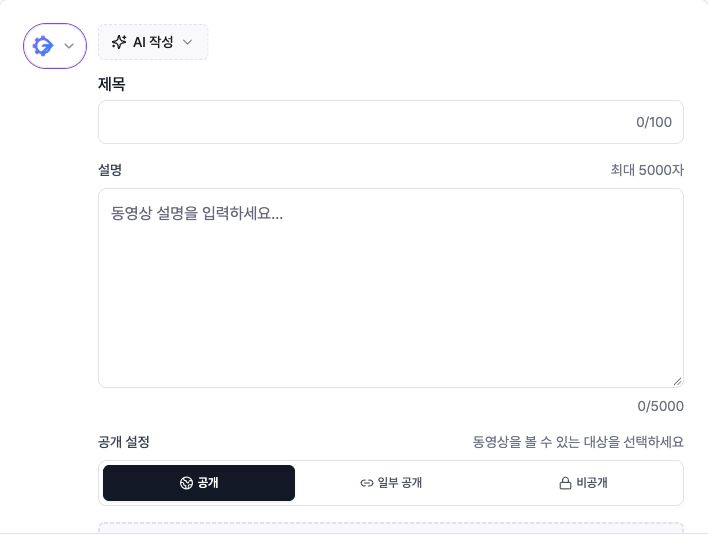
‘제목’ (Title) allows 100 characters and ‘설명’ (Description) allows 5,000. Choose ‘공개’, ‘일부 공개’, or ‘비공개’ (Public, Unlisted, or Private).
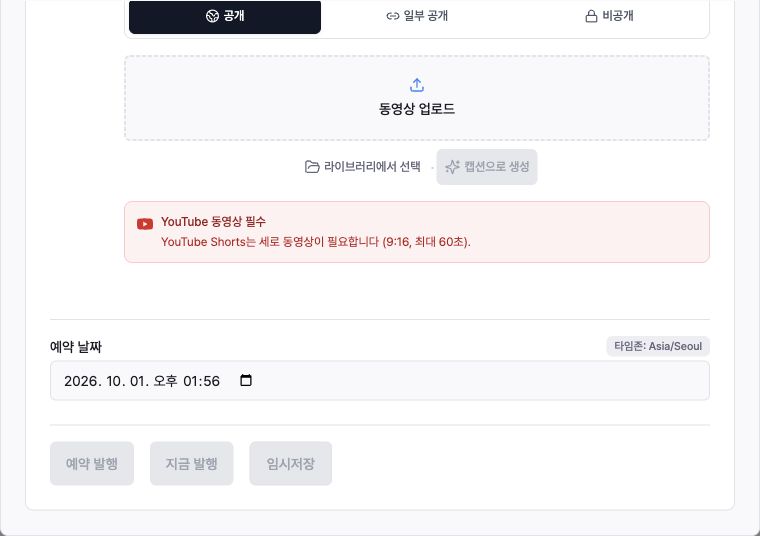
The current Korean composer states that Shorts need a vertical 9:16 video up to 60 seconds. Without a video, Schedule, Publish now, and Save draft remain disabled.
6. Complete other platform settings
TikTok requires a video or photo-mode images. After adding media, choose Direct post or Send to inbox.
Direct posting requires a privacy choice and may show comment, Duet, and Stitch controls. If commercial content is enabled, identify your own brand or branded content.
For X, LinkedIn, and Facebook, write the body and optionally add either image media or a video. X also offers optional ‘X 커뮤니티에 발행’ (Publish to an X Community); leave the numeric ID empty for the normal feed.
Follow the character counter and media guidance shown for the selected platform.
7. Add and order media
Use the large upload area for local images or videos, or ‘라이브러리에서 선택’ (Choose from library) for existing Mirr media.
Supported platforms can combine images and videos, and media order can be changed by dragging in the preview.
Where paste is supported, you can paste a copied image directly into the content field.
‘캡션으로 생성’ (Generate caption) and ‘AI 작성’ (AI writing) are optional. Review generated claims and tone before publishing.
8. Check time and timezone
Choose a future value under ‘예약 날짜’ (Scheduled date). The editor suggests a nearby future time, but change it to the intended date and time.
Check the timezone badge beside the field. The scheduled time is stored in that timezone.
Review line breaks, cropping, media order, and the platform layout in the right preview. When all requirements are satisfied, select ‘예약 발행’ (Schedule post).
Posts scheduled after a free-trial or subscription end date may not publish; the composer shows a warning when that applies.
9. Distinguish schedule, publish, and draft
‘예약 발행’ (Schedule post) saves the post for the selected future time.
‘지금 발행’ (Publish now) sends reviewed content into immediate publishing.
‘임시저장’ (Save draft) keeps it unpublished for later editing. Reopen it from the Drafts tab at the top of the composer.
Troubleshooting
If all three action buttons are disabled, the body may be empty or required media is missing. Instagram and TikTok need media; YouTube needs a video and title.
If only Schedule post is disabled, choose a valid future time and check the timezone. TikTok Direct post also needs privacy and any required commercial-content disclosure.
If copy moved after switching accounts, recheck YouTube Title and Description versus the standard platform Content field.
If media is rejected, replace it with a file that fits the selected platform’s format, count, and duration. X, LinkedIn, Facebook, and TikTok may require keeping either images or video rather than mixing both.
If a scheduled post did not publish, check its status in ‘콘텐츠 관리’ (Content management). For Failed items, repair the account connection or platform requirement, reschedule, and check whether the trial or subscription had ended.